공유 키

<레이블 스타일="글꼴 스타일: 기울임체; ">동료 및 친구 <강한 스타일="색상: 블랙; "> 키 공유 기능을 사용하여 파일 액세스를 공유하세요!

Share file access with colleagues and friends using Key Sharing — secure, simple, and designed to keep your data private while you collaborate.
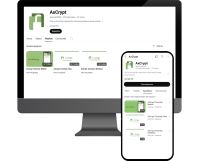
데스크톱에서 키 공유

Key Sharing is available with AxCrypt Premium and Business — these are the basic steps on desktop.

Share Key button
Recent files
Secured folders

모바일에서 키 공유 (Android/iOS)

Play Store 또는 App Store에서 AxCrypt 앱을 다운로드하거나 업데이트할 수 있습니다.

  1. 홈 화면에서 공유 키 아이콘을 누릅니다

  2. 원하는 파일 소스로 이동하세요.

  3. 선택한 클라우드 공급자로 인증을 완료하세요. 해당 단계가 이미 완료되었거나 적용되지 않는 경우 무시하세요.

  4. 파일 선택 페이지에서 파일을 선택하세요.

  5. 키 공유 페이지에서 파일을 공유할 받는 사람의 전자 메일 주소를 입력하고 plus 버튼을 클릭합니다.

  6. 세부 정보를 확인하고 적용 버튼을 탭하세요.

  7. Tap the Apply button.

키 공유란 무엇입니까?

일반적으로 직원들은 관련 작업 정보를 서로 공유합니다. 그러나 공유 과정에서 데이터의 보안에 대해 걱정하는 것은 불가피합니다. 이로 인해 보안된 파일을 공유하는 것에 대한 우려가 생기며, 암호화 소프트웨어가 파일을 보다 안전하게 공유하고 받을 수 있는 기능을 갖추는 것이 매우 중요합니다.


Typically, employees share relevant and work-related information with each other. However, worrying about the data’s security during the sharing process is inevitable. Since this raises concern about sharing secured files, it is incredibly vital for encryption software to have a feature that lets you share and receive files more securely.


더 보기

AxCrypt 키 공유 를 선택해야 하는 이유

AxCrypt Key Sharing enables collaboration without compromising confidentiality — share access, revoke it anytime, and never expose your password.


AxCrypt의 키 공유를 사용하면 파일을 안전하게 유지하면서 동료와도 공유할 수 있습니다. 데이터의 기밀성을 손상시키지 않고 다른 구성원과 협업하고 연결할 수 있습니다.


더 보기

키 공유는 어떻게 작동합니까?

In short: AxCrypt uses asymmetric encryption and a unique per-file session key. You share keys for access — not passwords..


AxCrypt는 비대칭 암호화를 사용하여 암호화된 파일을 안전하게 공유합니다. 즉, 암호화를 위해 공개 키가 사용되고 암호 해독을 위해 개인 키가 사용됩니다. 계정을 만들면 AxCrypt에서 RSA-4096 공개 및 개인 키 쌍을 생성합니다. 개인 키는 암호로 암호화됩니다.


더 보기

Move faster with our tutorials!

참고 사항

Small but important details you should know before sharing files.

  1. 우리는 수신자에게 물리적 파일을 보내야 합니다. AxCrypt는 물리적 파일을 보내지 않습니다.

  2. 파일을 받을 사람은 파일을 공유한 이메일 주소로 AxCrypt를 사용해야 합니다.

  3. 수신자는 무료 AxCrypt ID만 필요하며, 필요한 경우 자동으로 이메일 초대를 받게 됩니다.

다음 사항

📚 Quick Guide to Viewing or Decrypt the File

How to Encrypt & Decrypt Files with AxCrypt | Step-by-Step Guide

🔐 Secured Messenger

Secured Messenger is a secure, end-to-end encrypted messaging feature built into AxCrypt:
AxCrypt Password Manager Guide – Securely Manage & Share Passwords

📝 Blog

Want to dive deeper into encryption best practices? Explore our blog for guides and tips.
AxCrypt Blog

무료로 이용하기