

April 23, 2026
Vad är Typosquatting och Hur Skyddar Kryptering Dina Data?
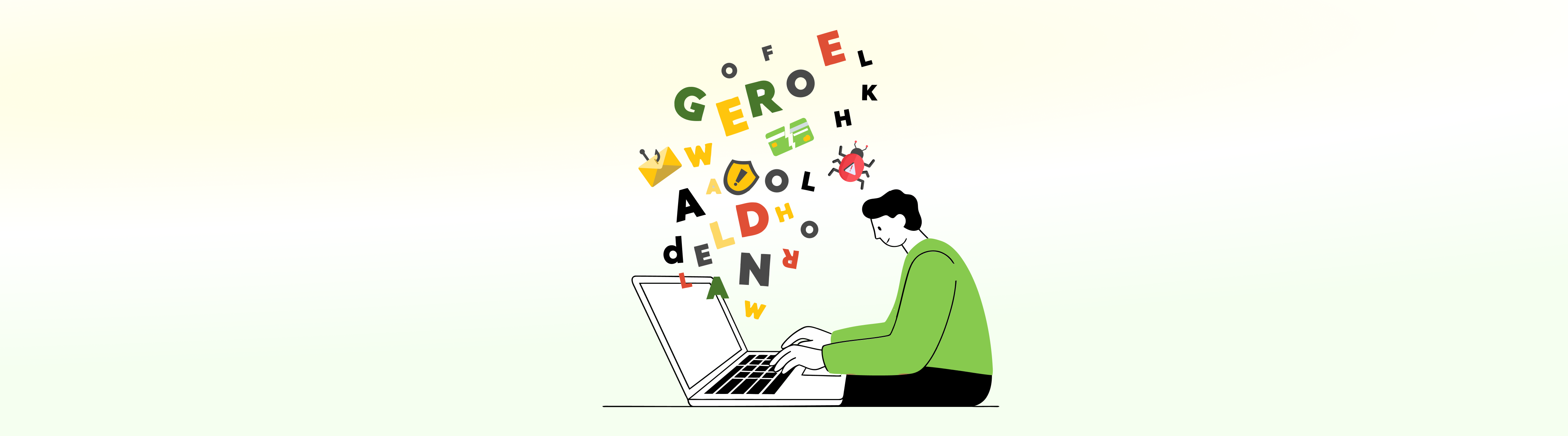
I en värld där hastighet ger upphov till misstag, tid pengar och tålamod en utdöende art, kan ett mindre misstag mitt i allt detta kosta en dyrt. Vi refererar till internet och hur ett felstavat ord kan utvecklas till något katastrofalt rent digitalt.
Detta kallar vi typosquatting-attacker – en osynlig, tyst social engineering-fälla som väntar på att du ska snubbla.
Det råder ingen tvekan om att teknologin ständigt utvecklas, men gör även hackare . En dag gör du ett litet stavfel i ett blogginlägg, ett mejl eller till och med en WhatsApp-chatt, och låt oss säga att avsändaren skickar det till sin mottagare i ren naivitet... Detta blir ett litet startskott för någon att kränka din integritet.
I det här blogginlägget, pratar vi om typosquatting-attacker och hur man skyddar data från typosquatting.
Vad är Typosquatting?
Typosquatting var en metod som blev populär på slutet av 1990-talet, där webbplatser använde felstavningar av etablerade domännamn för att utnyttja användarmisstag. I USA antogs Anticybersquatting Consumer Protection Act (ACPA) 1999 för att hantera denna fråga.
Typosquatting-attacker fungerar oftast på stavfel och fel. Vanliga exempel på typosquatting inkluderar små misstag, som att lägga till ett extra 'o' i google.com eller att av misstag skriva ut Faecbook istället för facebook.com.
I bästa fall, när man skriver fel URL, kommer man komma till en sida som visar 404-fel (Sidan hittades inte). Men det är om du har tur, om du inte har det, leder det automatiskt till skadlig server för sajter man besöker.
Detta är domän-typosquatting – en förbättrad, mer skadlig variant av typoquatting. Antingen installerar denna åtgärd skadlig kod eller visar annonser och omdirigerar dig till några oseriösa eller olämpliga webbplatser.
Ett mindre fel kan omdirigera dig till en sida som stjäl inloggningsuppgifter och annan kritisk PII, bara så där.
Definition av Typosquatting (Kaspersky):
"Typosquatting är en typ av social engineering-attack som riktar sig mot internetanvändare som felaktigt skriver in webbadress (URL) i sin webbläsare istället för att använda en sökmotor. Vanligtvis innebär det att lura användare att besöka skadliga webbplatser med webbadresser som är vanliga felstavningar av legitima webbplatser. Användare kan luras att ange känsliga uppgifter på dessa falska webbplatser. För organisationer som drabbats av dessa angripare kan sådana webbplatser orsaka betydande skada på organisations anseende."
Så, hur skyddar man sig mot typosquatting-attacker år 2026?
Här är några åtgärder som varumärkesägare kan vidta för att upptäcka typosquatting-webbplatser:
Här är några åtgärder för regelbundna användare om hur man upptäcker typosquatting-webbplatser
Läs mer här om sociala ingenjörsattacker
Även om brandväggar, antivirus och endpoint-säkerhetslösningar fungerar på systemcentrerade säkerhetslösningar - de är inriktade på att skydda själva systemet och erbjuder inte skydd på mobilnivå. När det ökar typosquatting-attacker ökar blir behovet av skydd på granulär nivå ännu viktigare.
Det är här filnivåkryptering kommer in i bilden. År 2026 är det avgörande att förstå hur kryptering skyddar känslig data.
Typosquatting-attacker är utformade för att lura användare att lämna ut känslig information. Om du anger personliga uppgifter, som din e-postadress och ditt lösenord eller en engångskod (OTP), kan dina mest känsliga filer och data riskera att exponeras. Typosquatting-attacker är nämligen bara ingångsattacker. Det som händer efter att du av misstag har klickat sker tyst i bakgrunden, utan att du ens märker det – tills det är för sent.
Du kan inte ta bort varje stavfel. Men du kan kontrollera vad som händer när något sådant inträffar.
Ett Smartare Sätt att Lagra och Skydda Känslig Data
Låt oss erkänna att vår WhatsApp-chatt vid något tillfälle var det bästa sättet att spara en viktig länk eller en samling lösenord. Ja, en snabb sparning i dina chattar, meddelanden, webbläsare eller till och med en post-it-lapp kan vara ganska smidigt. Men det räcker med ett enda dumt misstag som detta för att avslöja all din känsliga information.
Du kan eliminera alla möjliga risker med bara en stark funktion – AxCrypts lösenordshanterare.
AxCrypts Lösenordshanterare är ens bästa vän i sådana här stunder, som någon som verkligen vet hur man håller en hemlighet.
Perfekt för att lagra dina lösenord tillsammans med rätt webbadresser, bra för att lagra sina kortuppgifter och den perfekta platsen att skriva ner viktiga anteckningar som inte behöver se dagens ljus.
Och det blir bättre.
All din information lagras med nollkunskapskryptering. Det betyder att din data är låst, vattentät utan undantag. Inte ens vi kan läsa dina data. För att göra det ännu bättre implementerar funktionen även 256-bitars krypteringsalgoritmen, som tar datasäkerhet till en helt ny nivå.
Varför behöver du en Lösenordshanterare?
Istället för att manuellt skriva in dina lösenord och länk-URL:er i URL:ens sökfält och av misstag göra ett stavfel, vilket är precis där typosquatting-attacker lyckas, kan du bara spara rätt URL och lösenordet till den i denna funktion och säkert och säkert navigera till den sida du vill gå in på.
AxCrypts Lösenordshanterare låter dig spara mer än bara lösenord:
Byggt på zero-knowledge-arkitektur och skyddat av 256-bitars kryptering, kan endast du och mottagaren komma åt det.
I ett hotfullt landskap som orsakats av små misstag säkerställer en lösenordshanterare att ett felaktigt klick inte orsakar ett större intrång.
Om du misstänker ett intrång och vill förhindra dataintrång med hjälp av kryptering, särskilt efter att ha blivit offer för eller orsakat ett intrång genom typosquatting-attacker, har du ställt rätt fråga.
Låt oss säga... hackaren har på något sätt lyckats avlyssna eller komma åt dina data via en komprometterad kanal, och du har skyddat din information med ett filkrypteringsprogram som AxCrypt, hackern eller angriparen skulle behöva rätt dekrypteringsnycklar för att komma åt dina krypterade filer.
Om det inte genomförs så kommer de att förbli utelåsta.
Låt oss se hur man kan förhindra dataintrång med hjälp av kryptering.
Hur kryptering skyddar känslig data – Både molnet och lokalt (med AxCrypt)
Hur du säkrar känsliga filer på din stationära dator:
Titta på den här videon om hur man krypterar en fil på 30 sekunder
Hur du säkrar känsliga filer på din mobil (Android):
Obs: Mobilkryptering stöds för närvarande endast på Android och inte på iOS på grund av säkerhets- och efterlevnadsriktlinjer.
Hur du säkrar känsliga filer på dina föredragna molnlagringsplattformar:
Obs: Filen krypteras lokalt innan den laddas upp till molnet.
För mer information om filsäkerhet, besök våra guider för att lära dig mer.
Tvärtom,
Som ordspråket säger: "kontrollera noggrant innan du agerar." Det är samma logik som används för att skriva ut vad som helst i webbadresser.
Stavfel är inte gulliga, och du kan ärligt talat inte skylla autokorrigeringen för varje 'stavfel'. Inte när typosquatting-attacker ökar. Så håll dig skärpt och utveckla en god digital och datasäkerhetsvana, som kryptering, för att hålla dina data säkra. Och med verktyg som AxCrypt är du säker på att dina filer är säkra.
Och med 'säker' menar vi att om en hacker från sin källare försökte avlyssna dina data, skulle vi kunna få tillgång, lagom till nästa istid.
Sluta skydda bara ditt system. Börja skydda dina data.!
Med AxCrypt förblir dina filer krypterade, din delning säker och din data förblir din, var den än hamnar.
Från automatisk Valvkryptering till säker fildelning och textkryptering är allt du behöver för att ligga steget före cyberhot inbyggt.
Starta din gratis provperiod nu.
Dela den här artikeln med en vän som gör för många stavfel.
Följ oss på sociala medier för fler tips om cybersäkerhet och dataskydd.


