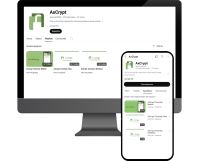
Share Keys

Share file access with with Key Sharing!

Share file access with colleagues and friends using Key Sharing — secure, simple, and designed to keep your data private while you collaborate.
Key Sharing on Desktop

Key Sharing is available with AxCrypt Premium and Business — these are the basic steps on desktop.

Share Key button
Recent files
Secured folders

Key Sharing on Mobile (Android/iOS)

You can download or Update the AxCrypt app from Play Store or App Store.

  1. Tap on the Share Keys icon from the home screen

  2. Go to the desired file source

  3. Complete the authorization with the selected cloud provider. Ignore if the step is already completed or not applicable.

  4. Select the file(s) from the file selection page

  5. In the Key Share page, provide the recipient’s email address you want to share the file with and click the plus button.

  6. Verify the details and Tap the Apply button

  7. Tap the Apply button.

What is Key Sharing?

Typically, employees share relevant and work-related information with each other. However, worrying about the data’s security during the sharing process is inevitable. Since this raises concern about sharing secured files, it is incredibly vital for encryption software to have a feature that lets you share and receive files more securely.


Typically, employees share relevant and work-related information with each other. However, worrying about the data’s security during the sharing process is inevitable. Since this raises concern about sharing secured files, it is incredibly vital for encryption software to have a feature that lets you share and receive files more securely.


Read more

Why AxCrypt Key Sharing ?

AxCrypt Key Sharing enables collaboration without compromising confidentiality — share access, revoke it anytime, and never expose your password.


AxCrypt's key sharing allows you to keep your files secured while also sharing it with your colleagues. It enables you to collaborate and connect with other members without jeopardising the confidentiality of your data.


Read more

How Does Key Sharing Work?

In short: AxCrypt uses asymmetric encryption and a unique per-file session key. You share keys for access — not passwords..


AxCrypt uses Asymmetrical encryption to securely share the encrypted files. That means public key is used for encryption and private key is used for decryption. AxCrypt generates an RSA-4096 public and private key pair when an account is created. The private key is encrypted with your password.


Read more

Move faster with our tutorials!

Notes

Small but important details you should know before sharing files.

  1. We need to send the physical file(s) with the recipients, AxCrypt never sends the physical file.

  2. The person you’re sending the file to must use AxCrypt with the email address you shared the file with.

  3. The recipient just needs a free AxCrypt ID and will be automatically invited via email if necessary.

What’s Next?

📚 Quick Guide to Viewing or Decrypt the File

How to Encrypt & Decrypt Files with AxCrypt | Step-by-Step Guide

🔐 Secured Messenger

Secured Messenger is a secure, end-to-end encrypted messaging feature built into AxCrypt:
AxCrypt Password Manager Guide – Securely Manage & Share Passwords

📝 Blog

Want to dive deeper into encryption best practices? Explore our blog for guides and tips.
AxCrypt Blog

Try for free