


Securely access all your sensitive data on one secure
platform with AxCrypt.
Work seamlessly with cloud storage services (Dropbox, OneDrive, Google Drive) with AxCrypt. AxCrypt secures files with AES-256 encryption before uploading to the cloud. Your files are protected both at rest and in transit.
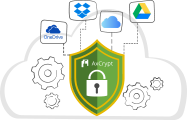
In this guide, you will learn how to use AxCrypt with cloud storage.
There's no need to install any cloud drive sync applications locally. AxCrypt Cloud Security encrypts your files with AES-256 and provides end-to-end protection, syncing them to the cloud while keeping them safe both in transit and during use.
Authenticate Your Cloud Account
To securely sync files, connect your Google Drive or Dropbox account by granting permission during the authentication prompt. Once approved, AxCrypt can securely open, encrypt, decrypt, and share files directly from your cloud storage without storing your data.
Here's How to Protect Files in Cloud Storage with AxCrypt's AES 256-bit Encryption.
Protect files in cloud storage through the application
Encrypt files - both Local and Cloud Files
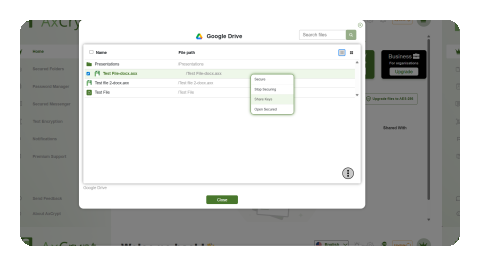
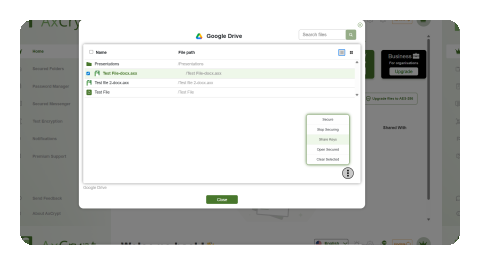
In the file selection pop-up, you can also secure files via the right-click menu—simply select your desired file and click Secure. Please note that a one-time cloud authorization is required.
How to use the Stop Secure and the Open Secured options in Cloud Encryption?
Stop Secure
Open Secured
How to use the Share Key Options in Cloud Encryption?
Sign in to AxCrypt and choose from the 3 cloud storage providers present.
Locate your file and select it.
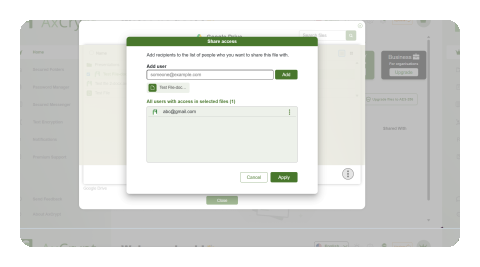
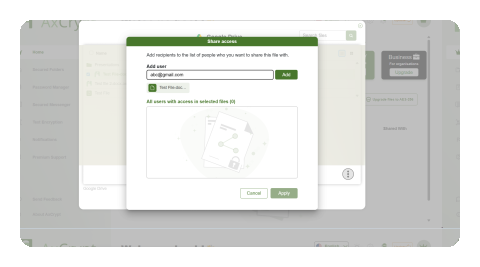
Click on 'Share Keys'.
Add the email ID you want to securely share keys with and click on 'Add'.
What is Cloud Security?
Cloud Security by AxCrypt is a feature that ensures encrypted cloud sync across multiple devices and supported cloud storage platforms. This allows you to secure cloud storage files using client-side encryption that authorises users with the necessary access permissions to access them.
With AxCrypt's Cloud Security feature, you can almost encrypt any files. From files, PDFs, sheets, to images, you can use AxCrypt's Cloud SecurityAES-256 encryption algorithm to protect them.
Is Cloud Security a zero-knowledge cloud storage solution?
Yes. Cloud Security by AxCrypt is designed as a zero-knowledge cloud storage solution. This means that your files are encrypted using the AES-256 encryption algorithm, and we do not hold or access any of the information or data that is uploaded onto the cloud storage platforms. The cloud storage provider does not control your encryption keys. This guarantees stronger data privacy and true end-to-end encrypted cloud sync.
Move faster with our tutorials!

What’s Next?
FAQ
Why must you secure your cloud storage data?

How many cloud storage platforms does AxCrypt's Cloud Security support?
Can I securely share encrypted files stored in the cloud?